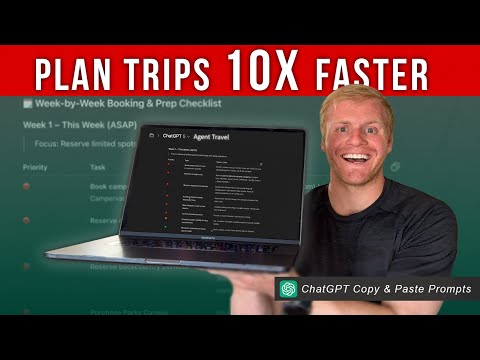
Plan your next trip in minutes using ChatGPT! 🌍
This step-by-step tutorial shows you exactly how to use AI to plan flights, hotels, and full travel itineraries faster than ever.
Watch Next ❤️
I Used ChatGPT To Save Big On Flights! (Copy and Paste Prompts)
ChatGPT Prompts (Copy and Paste)
→ Prompt 1: (Build Itinerary)
1. Define Role. [You want to tell ChatGPT what they specialize in and determine their role.]
2. Define your travel style. [Think of this like introducing yourself to a travel agent.]
3. Define the task. [This is where you are going to describe exactly what you want ChatGPT to do. You want to be clear so ChatGPT knows your end goal.]
4. Build Itinerary. [When building out this portion of the prompt, you want to be as specific as possible.]
5. Rules. [Putting rules on your prompt will help you get more narrow results. This part of the prompt will make it so I have fewer decisions to make, helping me plan faster.]
6. [Output format. This step will help you receive all the information from ChatGPT in a really organized and digestible way.]
→ Prompt 2: (Make ChatGPT your travel planning assistant)
1. Role: You are my personal trip booking and organization assistant. I already have my travel itinerary confirmed now I need your help turning it into a structured booking and preparation plan so I don’t miss any details.
2. Objective: Create a detailed week-by-week checklist that walks me through everything I need to book, confirm, and prepare before my trip begins.
3. Trip Overview: Use the Itinerary Above
4. Deliverables:
– A step-by-step booking and prep schedule starting today and ending on my -departure date.
– Divide the plan into manageable weekly tasks, prioritizing bookings with the longest lead times.
– Include all essential booking categories
5. Add key prep reminders
6. Include a final-week checklist with last-minute confirmations (check-ins, currency exchange, house prep, etc.).
7. Color-code tasks by priority (urgent, soon, optional).
How I get cheap flights:
✈️ Try Daily Drop Pro:
❤️ SUBSCRIBE HERE (it’s Free):
⭐️⭐️Favorite Travel Gear (Things We Use)
Amazon Storefront
→
→ Sand Cloud Towel:
→ Sea to Summit DryLite Towel:
→ Rumpl Blankets: rumpl.sjv.io/qz0DbO
→ Scrubba Wash Bag:
→ Water Bottle:
→ Spork: rei.pxf.io/POB5DM
→ Peak Design Packable Tote: peak-design.pxf.io/aOPEdN
→ Peak Design Packing Cubes:
———————————————————————————–
“DISCLAIMER”
This video description contains affiliate links, which means that if you click on one of those product links, I will receive a small commission. This is one way you can support this channel at no extra cost to you. Thanks for your support!
Other related videos you will enjoy! ❤️
How to Plan Your Trip With Google MY MAPS ⎜Google Maps Tutorial
How to Fold Clothes for Travel to SAVE SPACE (Tutorial)
——————————————————————————
Social links:
❤ Instagram:
❤ Facebook:
❤ Youtube:
—————————————————————————-
Contents of this video:
00:00 – Intro
01:39 – Step 1: Define Role
02:35 – Step 2: Define Your Travel Style
03:38 – Step 3: Define The Task
04:49 – Step 4: Build Itinerary
07:32 – Step 5: Rules
08:31 – Step 6: Output Format
11:29 – Step 7: Optimize Your Trip
12:08 – Step 8: Treat ChatGPT like a Project Manager
Advertiser Disclosure: This site is part of an affiliate sales network and receives compensation for sending traffic to partner sites. This compensation may impact how and where links appear on this site. This site does not include all financial companies or all available financial offers. The content in this video is accurate as of the posting date. Some of the offers mentioned may no longer be available.
#travel #ChatGPT #TravelPlanning #AITravel #TravelTips #TripPlanning #ChatGPTTutorial #SmartTravel #TravelHacks #ItineraryPlanning #DigitalNomad

Have you ever used ChatGPT to help you plan your trips?
I bet this guy is a real wild card at parties! 😂
I used ChatGPT to create a capsule packing list for my trip to the UK! I was worried about how to pack for 12 days using just a carry on and personal item. I entered all the clothes I thought would work. It spit out not only a list of which clothes to take, and how to pack it, but it gave me a day by day schedule of what to wear each day based on where I would be that day, but it created a picture of each outfit! It has revolutionized how I will pack from now on!
Great video on travel planning with ChatGPT. How and in what format do you then import into Notion?
I must have missed this when it came out several months ago…excellent tutorial! Thanks!